How To Build A Private AI Knowledge Base For Your Team

How to build a private AI knowledge base for your team without a single line of code starts with an honest question: where does your team actually look for answers right now? If the answer is “Slack, email, a dusty Google Drive, and three different Notion pages,” you are ready for a private AI knowledge base.
This guide is for the business owner or ops manager. Not the developer. You will get a framework, real costs for 10 vs 50 people, a no‑code setup walkthrough, and the failure modes nobody talks about.
What a private AI knowledge base actually does:
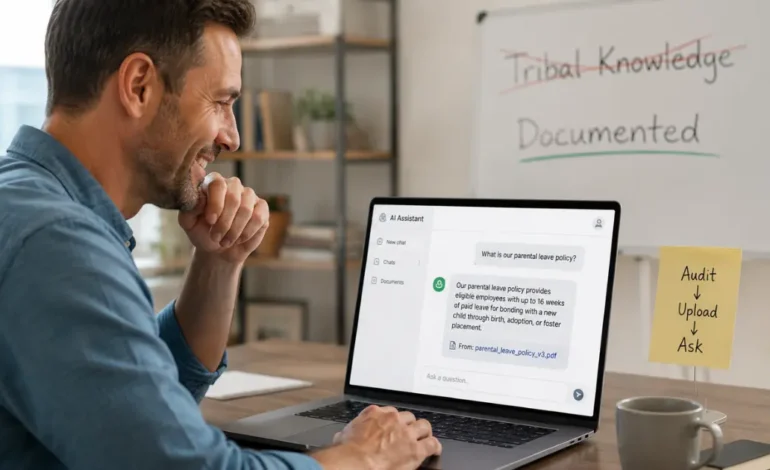
It turns your documents into a searchable answer engine. You upload policies, onboarding decks, support tickets, and meeting notes. Then your team asks normal questions, “What’s our parental leave waiting period?” and the AI answers with a sentence and a citation.
The technology behind it is called retrieval‑augmented generation (RAG) . You do not need to understand math. Think of it as:
- Your documents get broken into small pieces (chunking).
- When someone asks a question, the system finds the most relevant pieces (retrieval).
- An LLM writes a clean answer using only those pieces (generation).
How is it different from a shared Google Drive or Notion doc
Drive gives you a keyword search. Misspell one word, and you get zero results.
A private AI knowledge base gives you semantic search. It understands “time off policy” even if the document says “vacation accrual.” It returns an answer, not ten links to click.
Step 1: Audit your data before you touch any tool
Most articles jump straight to vector databases and chunk sizes. That is why real implementations fail. Start with a 90‑minute audit.
Ask three questions across your team:
- What five documents answer 80% of the repeat questions? (HR: leave policy. Support: refund process. Sales: pricing matrix.
- Which documents are older than 12 months? Flag them. Do not ingest stale data unless you manually verify it.
- What knowledge is only in one person’s head? That is “tribal knowledge.” Write a 2‑page doc for each critical topic before building anything.
After the audit, run a data clean‑up sprint:
- Delete duplicates and outdated versions.
- Add simple metadata to each file (department, last updated, owner).
- Rename files clearly: 2025_ parental_leave_v3.pdf, not Final_final_HR.docx.
Only then move to tool selection. “Garbage in, garbage out” is not a cliché. It is the #1 failure mode.
NSA, CISA, FBI Joint International Guidance on AI Data Security (May 2025)
Which setup path is right for your team?
Use this two‑question decision framework instead of guessing.
| Question | Yes | No |
| Do you have a developer or IT person who can touch a terminal? | Consider self‑hosted or managed RAG | Use the no‑code path |
| Does your business handle regulated data (HIPAA, SOC2, GDPR Article 9)? | Self‑hosted or enterprise-managed only | No‑code or standard managed is fine |
Based on your answers, here are the three real paths.
No‑code path (best for most small teams)
Tools like ChatGPT Team, Notion AI, and Guru let you upload files and chat within an hour. No Docker. No terminal. Data privacy is handled by the vendor; read their data retention policies.
Honest limitation: You cannot guarantee that data never touches third‑party servers. For non‑regulated internal knowledge, that is fine for most teams.
Managed RAG platform (mid‑sized teams with compliance needs)
Services like Pinecone, Vectara, or Answer Cloud give you more control. Data stays in your chosen cloud region. You will need a developer for initial setup (API keys, embedding model selection, and user roles).
Honest limitation: Monthly costs start higher – typically $500‑1500 for a 25‑person team.
Self‑hosted (full control, IT required)
Ollama + ChromaDB + Open WebUI or AnythingLLM run on your own servers. Zero cloud dependencies. You control everything.
Honest limitation: Setup takes days to weeks. Someone has to manage updates, monitor storage, and tune chunking. Only choose this path if you have a dedicated developer who enjoys infrastructure.
The no‑code setup walkthrough: from zero to first answer in 45 minutes
This is the path for the business owner who just wants it to work. We will use ChatGPT Team because it includes data controls and citations out of the box.
- Create a ChatGPT Team workspace – $30/user/month. Go to chat.openai.com → Team plan → Create workspace.
- Disable chat history for training – Workspace settings → Data controls → Turn off “Improve the model for everyone.” This is your “private” guarantee.
- Create a project – Name it “Knowledge Base.” Upload your five audited files (PDFs, Word docs, markdown, text).
- Add a custom instruction – Click your workspace name → Custom instructions. Paste this:
“You answer only from the files uploaded to this project. If the answer is not in those files, say ‘I don’t have that information in my knowledge base.’ Always cite the source file name and the most relevant sentence.” - Ask a real question – Type “What is our approval process for expenses over $500?” The AI should respond with a citation.
- Verify the citation – Click the cited file. Does the answer actually match the document? If yes, you are alive. If not, your document may need a clearer structure.
That is it. No vector database. No chunk size tuning. You can add more files at any time.
What It Actually Costs | By Team Size (10 vs 50 People)
Here is the clean, comparable breakdown that no other article gives you.
| Path | 10-person team (monthly) | 50-person team (monthly) | Setup effort |
| No‑code (ChatGPT Team) | $300 | $1,500 | 1 hour |
| Managed RAG (Danswer Cloud / Vectara) | $500–800 | $2,000–3,500 | 1–2 days (dev needed) |
| Self‑hosted (cloud VM + Ollama) | $80–150 (compute) + 5‑10 dev hours/month | $400–800 (compute) + 15‑20 dev hours/month | 1–2 weeks |
Free tier options worth knowing about
- Chroma (open‑source vector DB) is free, but you pay for hosting and your own time.
- Notion AI – free trial (limited queries). After that, $10/user/month, but only searches Notion content.
- ChatGPT Team trial – free for 14 days. Use it to validate before paying.
5 signs your AI knowledge base is failing silently
You cannot fix what you do not measure. Watch for these failure modes.
1. Stale answers that quietly cost you money
The AI cites a 2022 price list. Nobody notices until a customer complains. Fix: Add a freshness rule – automatically exclude documents older than 12 months unless manually reviewed.
2. The AI says “I don’t know,” but the document exists
This means retrieval is broken. Your chunking may be too small (a single sentence missing context) or too large (too much noise). Fix: Run the dead document test (see below).
3. The citation does not match the answer
The AI writes a plausible sentence, but the cited file says something different. That is a hallucination dressed up with a fake source. Fix: Train your team to always click the citation. Demote any answer without a citation.
4. Everyone stopped using it after two weeks
Adoption failure is a sign, not a tech problem. Fix: Assign a weekly 30‑minute “knowledge steward” (rotating role) to add new docs from recent Slack decisions and remove obsolete ones.
5. The same question gets different answers on different days
Your embedding model or LLM prompt may be drifting. Fix: Save 10 golden questions with known correct answers. Run them every Monday. If accuracy drops below 80%, roll back to last week’s configuration.
The dead document test: Upload a short file with one fake but plausible fact: “The CEO’s espresso preference is a cortado with oat milk.” Ask the AI that exact question. If it answers correctly, retrieval works. If it does not, your chunking or embedding is silently broken.
A Benchmark with Grounding Annotations for RAG Evaluation
Real‑world use by department (what your team would actually ask)
Generic “your team” advice is useless. Here is the department‑specific specificity.
HR teams
- “How many sick days does a new hire accrue in their first 90 days?”
- “Which documents do I need for a bereavement leave request?”
- “What is the reimbursement cap for wellness benefits this year?”
Sales teams
- “Has Acme Corp asked about custom SLAs in any meeting notes?”
- “Show me the pricing discount approval email from March 2024.”
- “What objection handling talk track is recorded for the enterprise tier?”
IT support and engineering
- “What is the VPN timeout policy for remote contractors?”
- “Which Jira ticket contains the fix for the API rate limit error?”
- “List all approved software vendors for expense reporting.”
When you build your own knowledge base, start with one department. Answer their top 10 questions. Then expand.
FAQ’s
Can I build an AI knowledge base without any coding skills?
Yes. Use ChatGPT Team or Notion AI. Upload your files, add a custom instruction, and start asking questions. No terminal commands, no vector database setup. The whole process takes less than an hour.
Is my business data safe in a private AI knowledge base?
It depends on the path. No-code tools (ChatGPT Team, Notion AI) store data on vendor servers, and read their data retention and training opt-out settings.
Managed RAG platforms let you choose a cloud region. Self‑hosted keeps everything on your infrastructure. For regulated data, choose self‑hosted or a HIPAA‑compliant enterprise plan.
What is RAG, and do I need to understand it to use one?
RAG stands for retrieval‑augmented generation. It is the method that finds relevant document pieces before the AI writes an answer.
You do not need to understand the internals to use a private AI knowledge base; think of it as the engine under the hood. The only practical thing to know: good RAG depends on clean, well‑structured documents.
How long does it take to set up a private AI knowledge base?
No‑code path: 1–2 hours from signup to first answer. Managed RAG platform: 1–3 days (requires a developer for API integration). Self‑hosted: days to weeks, plus ongoing maintenance. Start with the no‑code path. You can always migrate later.
What is the difference between a knowledge base and a chatbot?
A knowledge base is the stored information of your policies, decks, and tickets. A chatbot is the interface that talks to users. A private AI knowledge base combines both: the stored documents plus a RAG‑powered chat interface on top. The chatbot cannot answer outside what the knowledge base contains (if you set it up correctly).
Your next step is not to buy software. Run the 90‑minute data audit. Find your five golden documents. Then set up the no‑code walkthrough above.
Most teams never need to touch a vector database. And if you eventually do, you will know exactly why, which puts you ahead of 95% of the people who start with “which embedding model should I use?”